fish it game

How to Play: WASD or Arrow Keys — Move your character around the dock and fishing areas. E — Interact with NPCs and shop menus. Left Mouse Click — Cast your fishing line and reel in caught fish. Right Mouse Button — Rotate the camera view. Spacebar — Jump. The controls in Fish It Game are straightforward, letting you focus on strategy and timing rather than complex inputs.

About fish it game

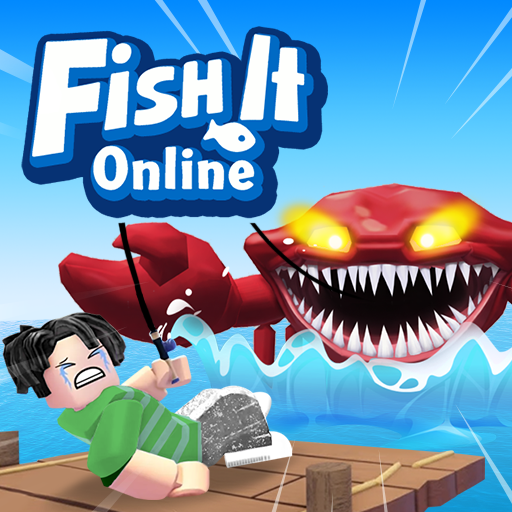
Fish It Game drops you at the edge of a colorful fishing dock where the goal is simple: cast your line, reel in the biggest catch, and sell your haul for coins to fund better gear. Beneath the laid-back surface sits a surprisingly deep progression loop — eight bait types, ten rod tiers, and dozens of fish species ranging from common minnows to legendary deep-water giants.

Every cast in Fish It matters. Timing your throw affects the distance and depth of your line, which directly influences the rarity of what bites. Cheap bait attracts everyday catches, while premium lures open the door to exotic species worth significantly more at the Fish Merchant. The Roblox-inspired 3D world is bright and inviting, with smooth camera controls that let you explore the dock, shops, and fishing zones at your own pace.

Fish It Game rewards patience and strategy equally. Rushing through casts burns bait without meaningful returns, while methodical anglers who invest in rod upgrades and time their reels carefully climb the leaderboard faster. Whether you have five minutes or an hour, each session feels productive.

How to Play

Use WASD or Arrow Keys to walk around the dock and fishing zones.

Press E to interact with NPCs — the Fish Merchant, Bobbers shop, and Rod Shop.

Stand near the water and Left Click to cast your fishing line.

Wait for a fish to bite, then Left Click rapidly to reel it in. Larger fish require faster clicking.

Once your inventory is full, visit the Fish Merchant to sell your catch for coins.

Spend coins at the Bobbers shop for better bait or at the Rod Shop for stronger rods.

Press Spacebar to jump and Right Mouse Button to rotate the camera view.

Repeat the cycle: fish, sell, upgrade, and aim for rarer species each round.

Features

Relaxing fishing simulation with a satisfying catch-sell-upgrade gameplay loop.

Over a dozen fish species with varying rarity tiers, from common pond fish to legendary deep-sea creatures.

Eight bait types and ten rod tiers to unlock, each boosting your odds of landing rare catches in Fish It Game.

Vibrant Roblox-style 3D graphics with smooth character movement and camera controls.

Dedicated NPC shops — Fish Merchant for selling, Bobbers for bait, Rod Shop for equipment upgrades.

Leaderboard system that tracks your total earnings and rarest catches against other players.

Tips & Tricks

Upgrade your rod before your bait. A stronger rod lets you reel in bigger fish regardless of bait quality.

Time your cast carefully — casting at the right moment increases your luck stat for that throw.

Save coins for mid-tier bait early on; the jump in rare-fish probability pays for itself within a few catches.

When reeling in a large fish, click in steady bursts rather than frantic spam to maintain consistent tension.

Visit the Fish Merchant frequently. Holding too many fish wastes casting opportunities while your inventory sits full.

Focus on one upgrade path at a time in Fish It Game rather than spreading coins across multiple items.

Controls

WASD or Arrow Keys — Move your character around the dock and fishing areas.

E — Interact with NPCs and shop menus.

Left Mouse Click — Cast your fishing line and reel in caught fish.

Right Mouse Button — Rotate the camera view.

Spacebar — Jump.

The controls in Fish It Game are straightforward, letting you focus on strategy and timing rather than complex inputs.